QUEUE MANAGEMENT SYSTEM

Elevate Queue Management
Into a Smart System for Every Business

PocketQ is a queue management system built to turn front-desk chaos into a smooth, professional service flow. It supports ticket kiosks, existing TV displays, and multi-device calling software, with automated voice announcements in up to 15 languages (Thai • English • Chinese • Japanese • Korean • ASEAN • European).

Easy Setup, Ready to Use
15-Language Auto Voice Call
Free 1st-Year Support & MA
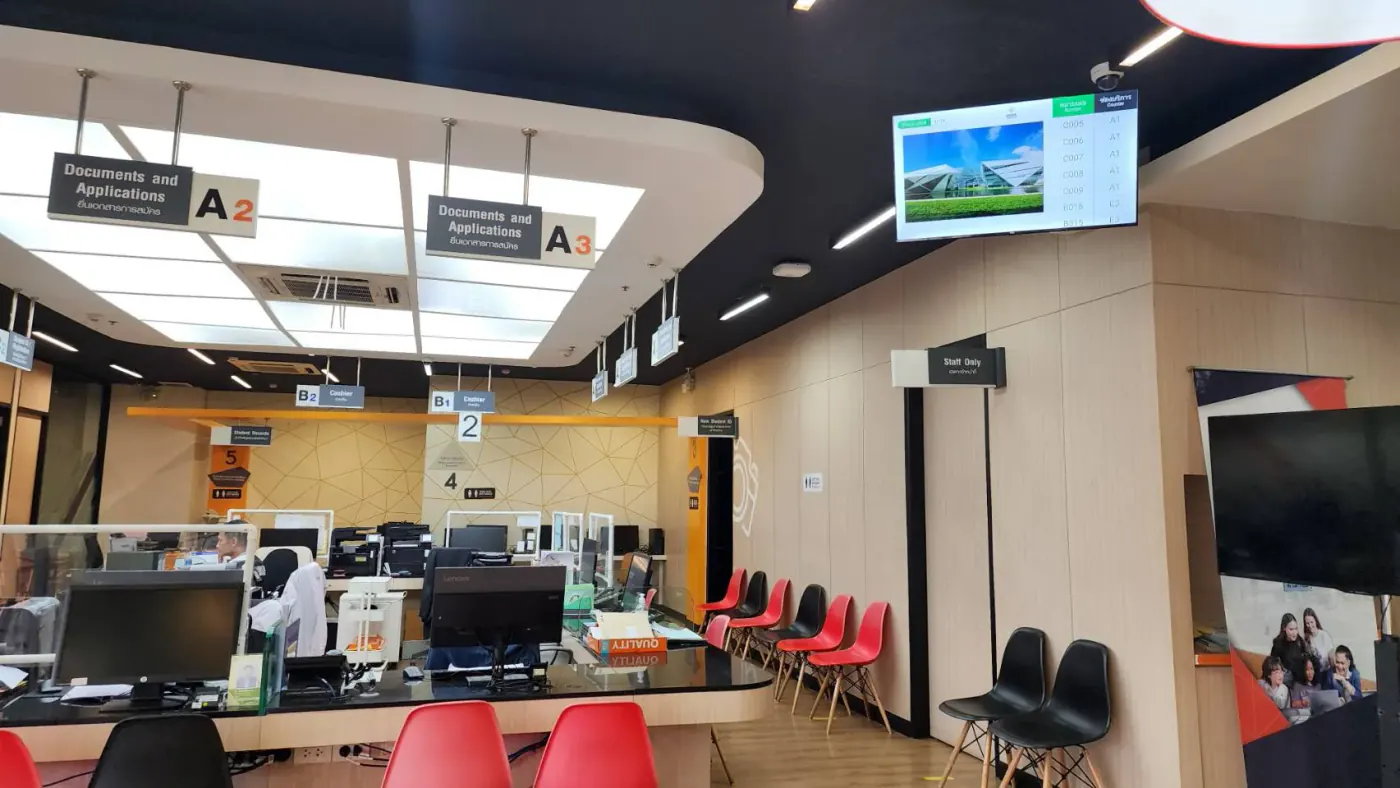
Works with Existing TVs
PocketQ Enterprise Queue Management System
Real-Time

Instant On-Screen Queue Updates

15-Language Voice Call

Thai • English • Chinese • ASEAN • European

On-Cloud

No On-Site Branch Server Required

Organizations & Institutions That Trust PocketQ
THAI Airways
All Nippon Airways (ANA)
EVA Air
Japan Airlines (JAL)
Cathay Pacific
Emirates
Vietjet Air
SAUDIA Airlines
Government Savings Bank (GSB)
Bank of Thailand
Thammasat University / Thammasat University Hospital
Bangkok University
Suratthani Rajabhat University
Metropolitan Electricity Authority (MEA)
Office of the Civil Service Commission (OCSC Expo)
Royal Thai Navy Shooting Range Bangna
Bang Bua Thong Mai Town Municipality
Khlong Hat Subdistrict Municipality
Thailand International Motor Expo
OUR SOLUTIONS

Choose the Workflow Engine That Fits Your Business

PocketQ is built for high flexibility, supporting every service workflow from single-stop counter service to complex multi-department queue transfers.

Standard Engine

Standard queue management for single-stop service counters. Engineered for speed and accuracy—ideal for retail shops, banks, clinics, and multi-counter offices where service finishes in one stop.

Standard Engine Queue System Architecture
  • 1 Ticket = 1 Service: Complete at a single counter with zero complexity
  • Automated Voice Announcements: Supports queue calling in up to 15 languages
  • Comprehensive Displays: Supports Main TV displays and counter LED signs
  • Ideal for: Banks, government service offices, general clinics, restaurants

Workflow Engine

Cross-department transfer queue system. Customers hold a single ticket that staff can forward across stations—such as hospitals (Triage → Doctor → Billing → Pharmacy) or multi-stage repair centers.

Workflow Engine Multi-Department Transfer Architecture
  • One Queue, Full Journey: One ticket moves seamlessly through every department
  • Queue Transfer: Staff can transfer queues directly to the next department
  • Queue Hold System: Place tickets on hold while waiting for test results, then resume without restarting
  • Ideal for: Hospitals, automotive service centers, IT repair centers
STARTER ON-CLOUD PACKAGE

Upgrade Your Queue System Immediately with All-in-One Turnkey Packages

No branch server investment required. One Year-1 payment gives you the ticket kiosk, TV display box, and cloud queue software with full support for the entire first year. Pick the kiosk form factor that fits your space.

Cloud Basic Set: Ticket Kiosk + Android Box + PocketQ License - Cloud Basic (Supports 5 Devices) Click to zoom

Cloud Basic Set (Supports 5 Connected Devices)

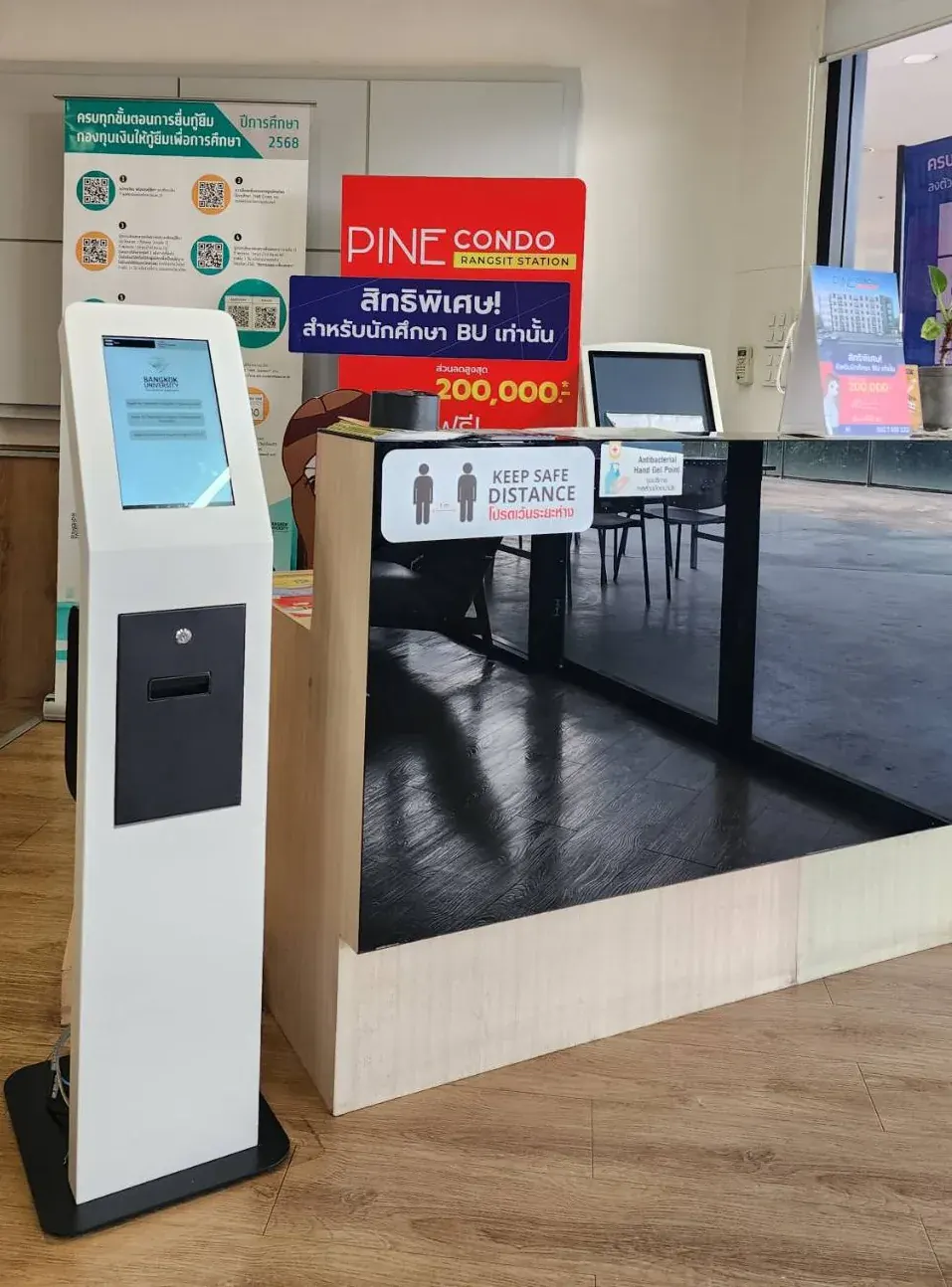
  • Desktop Ticket Kiosk — 10.1-inch touchscreen with 80mm thermal printer for issuing queue tickets
  • Android Box — For connecting to a TV display
  • PocketQ License : Cloud Basic Package — Supports up to 5 connected devices (up to 3 service counters calling via staff PCs)
Year 1 Price Including Cloud Service (Desktop)
28,000 THB
Subsequent Years (Cloud Software Only) 12,000 THB/year
Have more than 3 counters or want to compare larger packages? View full specifications for Standard Set (8 Devices), Professional Set (12 Devices), and warranty terms across all packages.
COMPLETE ECOSYSTEM & PLATFORM

Enterprise Hardware & Centralized Back-Office Control

Complete ecosystem covering ticket kiosks, calling terminals, TV displays, and centralized management for device control and analytics.

TICKET KIOSK

Ticket Kiosks & Issuing Points

Industrial-grade touchscreen ticket issuing terminals engineered for continuous all-day operation with high-speed thermal printers.

  • 15.6" Floor-Standing Kiosk: Touchscreen with built-in 80mm thermal printer
  • Desktop Kiosk Set: 10-inch touchscreen paired with thermal receipt printer
  • 250mm/s High-Speed Print: Crisp ticket printing with automatic paper cutter
  • QR Code on Tickets: Works with QRadars so customers can scan and track queue status on their phones
CALLING STATION

Queue Calling Software & Apps

Flexible counter calling solutions supporting queue calls via Windows desktop software and Android tablet or smartphone apps.

  • PocketQ Desktop (PC Windows): Installs directly on existing staff counter Windows PCs
  • PocketQ App (Android): Agile queue calling from Android tablets or smartphones at any service counter
  • Full Calling Controls: Recall, Cancel/Remove from queue, Hold queue
  • Instant Queue Transfer: Transfer queues across counters or departments in one click
DISPLAY & AUDIO

Displays & Voice Announcements

Turn any existing TV into a queue display screen with Android Box, featuring crystal-clear automated voice announcements for queue numbers and counters in up to 15 languages.

  • Android Box Media Player: Turns any standard TV or Smart TV into a queue screen instantly
  • Main & Counter Displays: Supports both Main TV screens and Counter LED displays
  • 15-Language Voice Announcements: Thai, English, Chinese, Japanese, Korean, ASEAN, and European languages
  • Promotional Media: Supports YouTube videos, scrolling ticker text, and promotional banners
CENTRAL CONTROL

Analytics & Back-Office Control Center

Manage devices and queue categories centrally, with service analytics reports for workforce planning and performance tracking.

  • Real-Time Queue Status: Monitor waiting counts and active calls from TV screens and calling terminals
  • Waiting Time Reports: Summarizes Wait Time and Service Time from service logs
  • Staff Performance Reports: Queue service volume statistics broken down by staff member
  • Report Export: Export reports directly to Excel and PDF files
HIGHLIGHT FEATURE • 15-LANGUAGE VOICE ENGINE

Smart Voice Queue Calling Highlights Supports All 15 Languages

Break language barriers at your service counters with crisp, smooth, natural automated voice announcements for queue numbers and counters across Thai, global, ASEAN, and European languages—paired with a 3-language ticket kiosk switcher (Thai / English / 中文) so international visitors can navigate independently without on-site interpreters.

Auto-Voice Matching Visitor Kiosk Selection Whichever language the customer chooses at the ticket kiosk, the system automatically calls their number in that same language when it is their turn.
Per-Department Voice Language Assignment (15 Languages) Configure specific queue categories to announce in target nationalities' languages—such as Myanmar/Lao/Cambodia visa counters or Japanese/Korean/Russian tour desks.

Core & East Asian Languages

5 Languages
THThai ENEnglish CHChinese (Mandarin) JPJapanese KRKorean

ASEAN Languages

6 Languages
MMBurmese LALao KMKhmer VNVietnamese MSMalay IDIndonesian

European & Global Languages

4 Languages
RURussian FRFrench ESSpanish PTPortuguese

Proven Results
& Real-World Impact

We do more than deliver software—we help your organization optimize service floor operations, reduce errors, and deliver a memorable customer experience.

Consult Our Team →
Public & Private Sectors
Trusted and chosen by leading organizations
Nationwide
Delivered and deployed across Thailand
10+
Years of Expertise
OUR PROCESS

Get Started Easily in 4 Steps

Our proven deployment workflow ensures your queue system is tailored to your actual service floor and goes live smoothly.

01

Assessment & Consultation

Analyze service workflows, counter counts, and visitor flow to recommend the best-fit hardware and software setup.

02

System Design & Configuration

Customize queue screens, brand colors, logos, and ticket templates to match your CI, plus configure up to 15 voice announcement languages.

03

Installation & Staff Training

Complete hardware installation, LAN/Wi-Fi network setup, and hands-on training so staff can operate confidently.

04

Ongoing Support & MA

Enjoy peace of mind with scheduled software updates, MA support coverage, and technical specialists available during business hours.

PocketQ Client

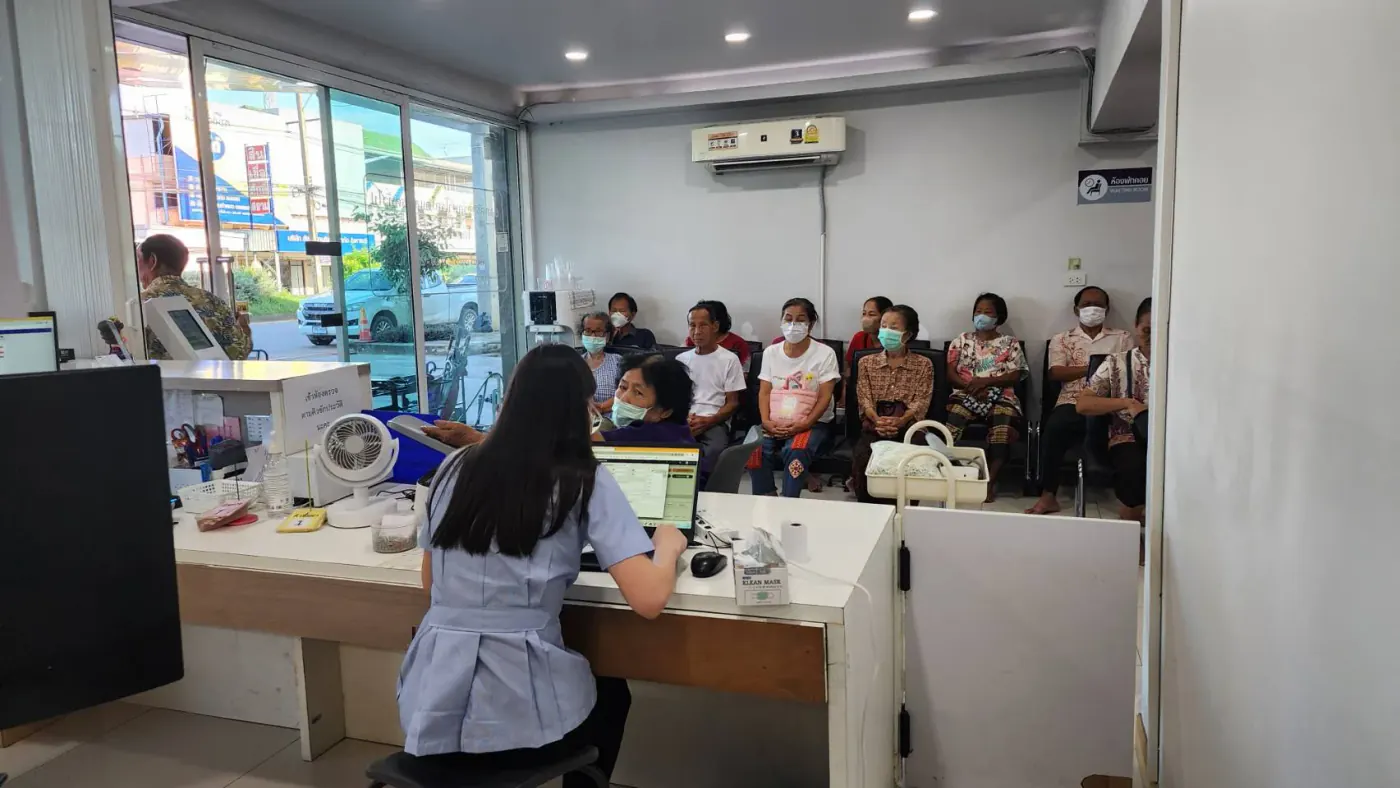
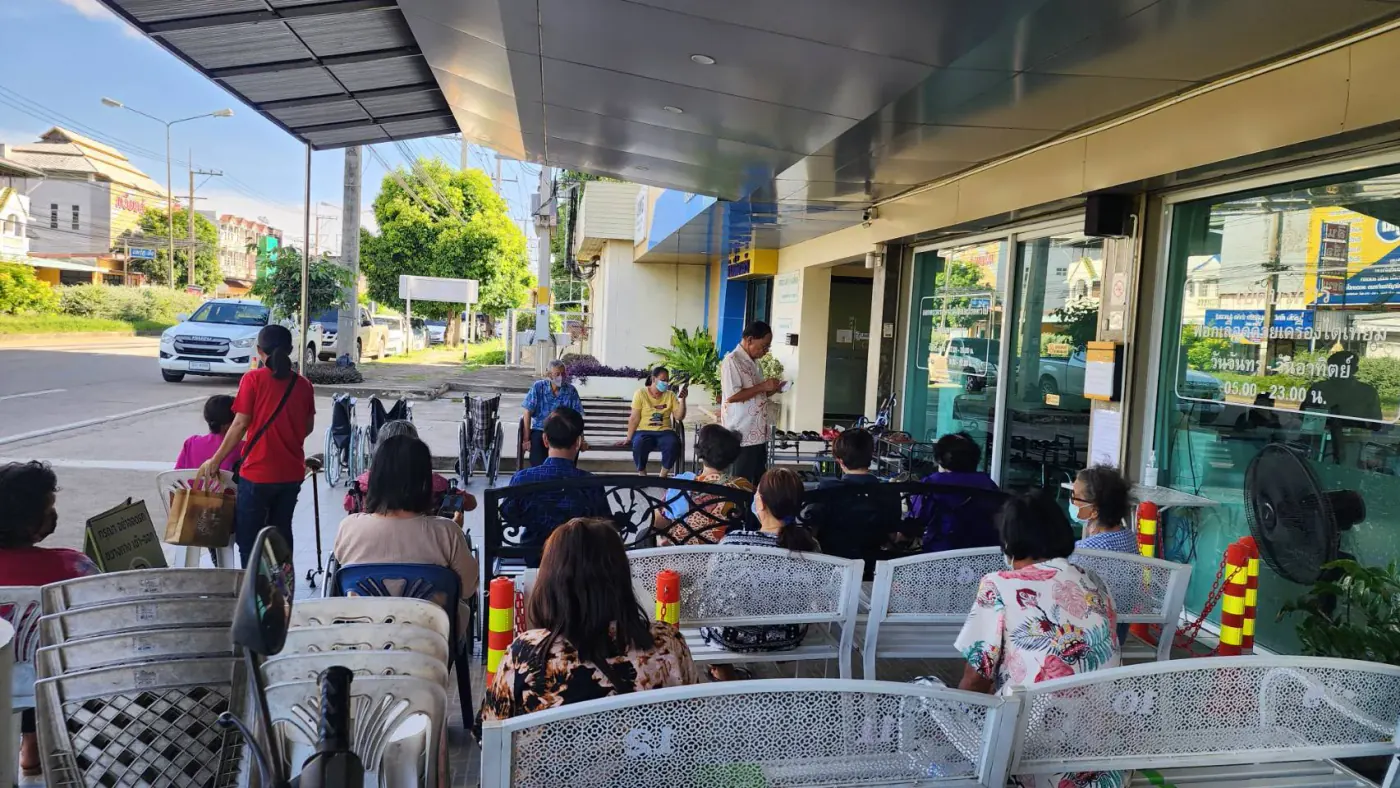
“PocketQ helped us organize our student service center rapidly. Visitors clearly see wait expectations, noticeably reducing on-site confusion.”

— Suratthani Rajabhat University

Ready to Elevate Your Service Experience?

Consult PocketQ specialists today to design the right queue solution for your organization.

Add Us on LINE (@pocketq) →
FREQUENTLY ASKED QUESTIONS

Frequently Asked Questions (FAQ)

Answers to every question on installation, hardware selection, and maintaining your PocketQ queue system.

How is the On-Cloud queue system priced (Year 1 vs. subsequent years)? ↓
In Year 1, the price already includes the hardware kit and full first-year Cloud queue software service (45,000 THB for Basic 5 devices / 51,000 THB for Standard 8 devices / 58,000 THB for Professional 12 devices). The hardware becomes your organization's property with a 1-year warranty, while in subsequent years, you only pay the annual Cloud software and Support & MA fee (12,000 / 18,000 / 25,000 THB/year depending on the package).
How is the package device quota (5 / 8 / 12 devices) counted, and is an on-site Server required? ↓
Since the system runs on the cloud, no on-site server computer is required at the branch (0 Servers) The device quota counts only active connected endpoint devices, namely (1) Ticket Issuing Kiosk + (2) TV Display Box (Android Box) + (3) Service Counter Calling Terminal For example, Basic 5 devices (1 ticket kiosk + 1 TV + 3 calling counters), Standard 8 devices (4–6 counters), and Professional 12 devices (7–9 counters). If you need more than 12 devices, you can request a custom quote based on your exact endpoints.
What types of ticket kiosks are available, and can we reuse existing TVs or computers? ↓
Ticket issuing kiosks are available in 2 models: 15.6-inch Floor-Standing Kiosk (with built-in 80mm thermal printer) and Desktop Kiosk (10-inch touchscreen paired with an 80mm thermal printer) For displays, you can connect any existing TV with an HDMI port to the Android Box, and for calling terminals, you can install PocketQ Desktop on existing Windows computers, or the PocketQ app on Android tablets and smartphones without needing separate hardware keypads.
What does the annual Cloud software fee in subsequent years cover? ↓
In subsequent years, payment covers only theannual Cloud software and processing service fee (12,000 / 18,000 / 25,000 THB/year depending on the package), covering the Cloud Server infrastructure, Cloud Web CMS back-office and analytics reports, automatic database backups, software version updates, and technical assistance via Remote Support throughout the active subscription.
Is there a limit on queue types, and how many languages does the system support? ↓
Unlimited queue types across all packages. Organizations can create service categories freely, with support for a 3-language kiosk UI (Thai, English, Chinese) and automated voice announcements in up to 15 languages (Thai, English, Chinese, Japanese, Korean, Indonesian, Malay, Burmese, Khmer, Lao, Vietnamese, Russian, Spanish, Portuguese, and French)—ideal for hospitals, government agencies, airports, universities, and international service centers.
Do you provide installation and Onsite Service? ↓
We offer end-to-end services from consultation and queue category setup tailored to your organization, on-site installation and staff training, to after-sales care via fast Remote Support and nationwide Onsite Service.
View All Q&A (FAQ by Category) →

Interested in a consultation or system brochure?

Contact the PocketQ team directly or call 090-066-7899 on any business day.

Interested in our queue system? Ask us anything Add LINE to inquire about PocketQ queue system